

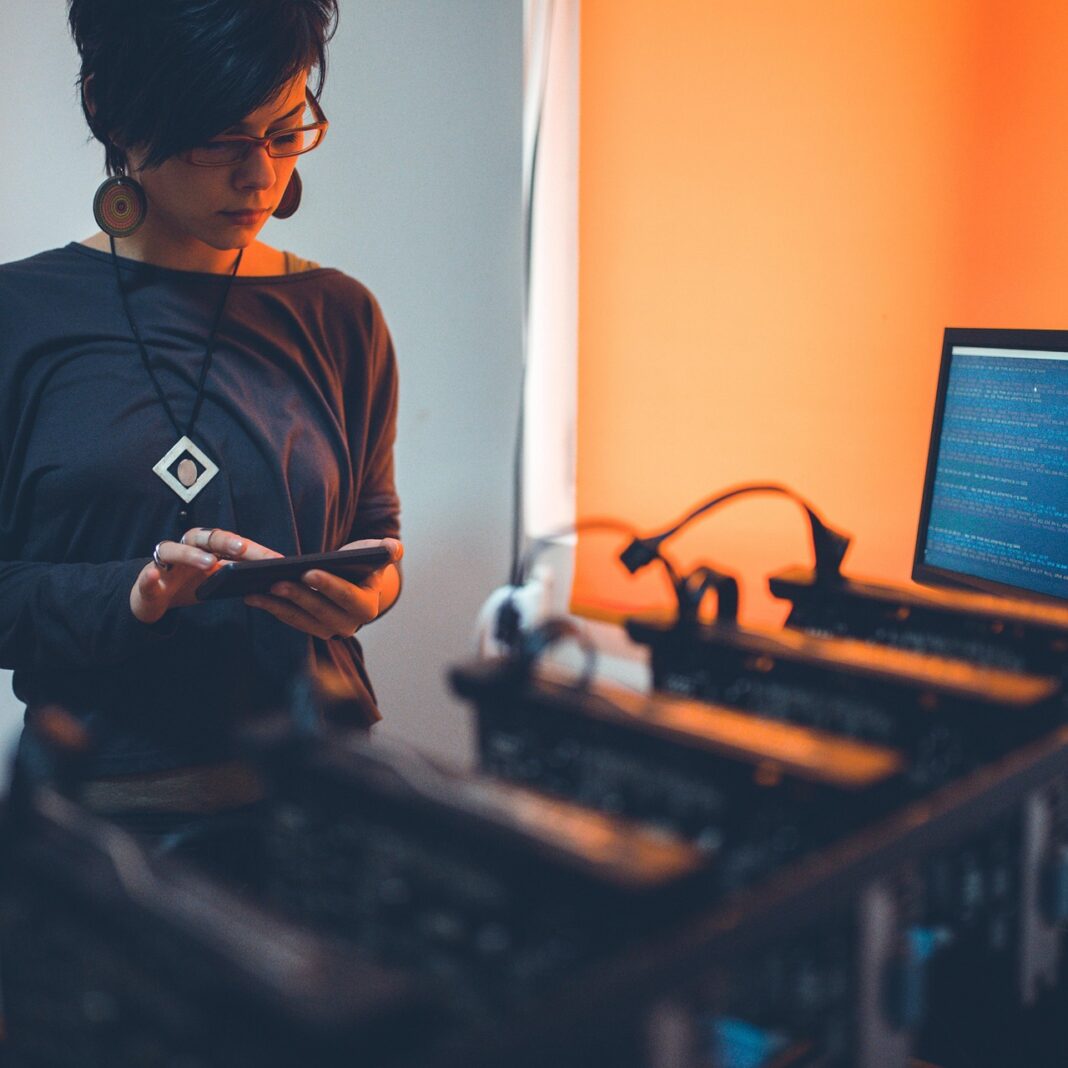

The world of cryptocurrency is often perceived as complex and exclusive, but at its heart lies a fascinating and potentially rewarding process known as “mining.” Far from swinging a pickaxe, modern crypto mining involves powerful computers solving intricate mathematical puzzles to validate transactions and secure decentralized networks like Bitcoin and Ethereum. This process is not just crucial for the blockchain ecosystem; it also offers an opportunity for individuals to earn cryptocurrencies. If you’ve ever considered delving into this digital gold rush, understanding how to set up mining is your first, crucial step. This comprehensive guide will demystify the process, walking you through everything from hardware selection to software configuration, empowering you to start your own cryptocurrency mining journey.
Understanding the Basics of Cryptocurrency Mining
Before you dive into building a mining rig, it’s essential to grasp the fundamental concepts that drive cryptocurrency mining. This understanding will help you make informed decisions and optimize your operation for success.
What is Cryptocurrency Mining?
At its core, cryptocurrency mining is the process by which transactions on a blockchain are verified and added to the public ledger. Miners use powerful computers to solve complex computational problems, known as “proof-of-work.” The first miner to solve the puzzle gets to add the next block of transactions to the blockchain and is rewarded with newly minted cryptocurrency (the “block reward”) and transaction fees.
- Transaction Validation: Miners verify the legitimacy of transactions, preventing double-spending.
- Network Security: The computational effort required to mine makes the network incredibly secure and resistant to attacks.
- New Coin Issuance: Mining is how new coins are introduced into circulation, following a predefined schedule.
Key Concepts in Mining
Understanding these terms is vital for any aspiring miner:
- Hash Rate: This measures the total computational power being used by the mining network to process transactions. A higher hash rate for your rig means more attempts to solve the block puzzle per second, increasing your chances of earning rewards. It’s often measured in Mega-hashes per second (MH/s), Giga-hashes per second (GH/s), or Tera-hashes per second (TH/s).
- Difficulty: The difficulty is an adjustable metric that determines how hard it is to find a new block. It adjusts periodically (e.g., every 2016 blocks for Bitcoin) to ensure that blocks are found at a consistent rate, regardless of the total hash rate on the network.
- Block Reward: The cryptocurrency incentive given to the miner who successfully adds a new block to the blockchain. This reward typically halves at predetermined intervals (e.g., Bitcoin halving), reducing the supply of new coins over time.
- Proof-of-Work (PoW): The original consensus mechanism used by Bitcoin and many other cryptocurrencies, requiring miners to expend computational effort to secure the network.
Types of Mining Hardware
The choice of hardware significantly impacts your mining potential and profitability:
- CPU Mining: Uses a computer’s central processing unit. Largely unprofitable for most major cryptocurrencies today due to low hash rates and high competition.
- GPU Mining: Utilizes graphics processing units (GPUs) – the same powerful chips found in gaming PCs. GPUs are highly efficient at parallel processing, making them suitable for many PoW algorithms. This is the most common entry point for individual miners.
- ASIC Mining: Application-Specific Integrated Circuits are hardware custom-built for mining a specific cryptocurrency algorithm (e.g., Bitcoin’s SHA-256). ASICs offer significantly higher hash rates than GPUs but are expensive, noisy, consume a lot of power, and are single-purpose.
- Cloud Mining: Renting hashing power from a large data center. This eliminates the need for hardware setup and maintenance but involves trusting a third party and often comes with higher fees and lower returns.
Actionable Takeaway: For most beginners looking to set up mining, GPU mining offers the best balance of accessibility, cost, and potential profitability for a range of cryptocurrencies.
Essential Hardware for Your Mining Rig
Building a dedicated mining rig is much like assembling a gaming PC, but with a strong emphasis on graphics cards and power delivery. Careful selection of components is paramount for efficiency and longevity.
Graphics Processing Units (GPUs)
The GPU is the heart of your mining rig. Your profitability will largely depend on the number and model of your GPUs.
- NVIDIA vs. AMD: Both manufacturers offer competitive GPUs. Historically, AMD cards (like the RX series) were favored for Ethereum mining due to their memory architecture, while NVIDIA cards (like the RTX series) excelled in other algorithms. Research current benchmarks for the specific coins you plan to mine.
- VRAM: Video Random Access Memory is crucial. For modern mining, 8GB of VRAM or more is highly recommended to handle increasing DAG (Directed Acyclic Graph) file sizes, which are part of some mining algorithms.
- Hash Rate Potential: Always check the expected hash rate for a given GPU model on specific algorithms (e.g., an NVIDIA RTX 3080 might yield ~90-100 MH/s on Ethash).
- Efficiency (Hash Rate/Watt): Consider how much power a GPU consumes versus its hash rate. Lower power consumption for the same hash rate means lower electricity bills.
Practical Example: A popular choice for beginners might be an AMD RX 5700 XT or an NVIDIA RTX 3060 Ti, offering good hash rate for their price point and power consumption, especially when purchased used or on sale.
Motherboard, CPU, and RAM
These components don’t directly contribute to the hash rate but are vital for system stability.
- Motherboard: Look for a mining-specific or enthusiast motherboard with multiple PCIe x16 or x1 slots (6-12+ slots) to accommodate numerous GPUs. Examples include the ASUS B250 Mining Expert or specific Gigabyte/MSI models.
- CPU: A basic, inexpensive CPU like an Intel Celeron or an entry-level AMD Ryzen will suffice. Its role is primarily to run the operating system and mining software, not to mine itself.
- RAM: 4GB to 8GB DDR4 RAM is generally sufficient for a dedicated mining rig. More isn’t usually necessary unless you’re running multiple demanding applications concurrently.
Power Supply Unit (PSU)
This is arguably the most critical and often overlooked component. A stable and sufficiently powerful PSU is essential for system reliability and safety.
- Wattage: Calculate the total power draw of all your GPUs, CPU, motherboard, and other components. Add at least 20-30% overhead to ensure stability and efficiency, as PSUs are most efficient at 50-80% load. A rig with 6 GPUs might need a 1200W-1600W PSU, or even two smaller PSUs working in tandem.
- Efficiency Rating: Choose an 80 PLUS Gold or Platinum rated PSU for better energy efficiency and lower heat generation.
- Modular Cables: A fully modular PSU helps with cable management and airflow.
- PCIe Connectors: Ensure the PSU has enough 6+2 pin PCIe power connectors for all your GPUs (each GPU typically requires 1-3 connectors).
Storage and Cooling
- Storage: A small 120GB-240GB SSD (Solid State Drive) is ideal for the operating system and mining software. It offers faster boot times and better responsiveness than an HDD.
- Cooling: Proper cooling is vital to prevent GPUs from overheating, which can reduce their lifespan and performance.
- Open-Air Rig Frame: These frames (often made of aluminum or steel) allow for maximum airflow around GPUs.
- Case Fans: Additional high-CFM (Cubic Feet per Minute) fans can be strategically placed to direct airflow.
- Room Temperature: Keep the mining area cool and well-ventilated.
Actionable Takeaway: Invest wisely in your GPUs and do not skimp on the PSU. Plan for adequate cooling from the outset.
Software Setup and Configuration
Once your hardware is assembled, the next step is to prepare your operating system and configure the mining software to start earning cryptocurrency.
Operating System (OS)
The choice of OS can impact performance and ease of use.
- Windows 10/11: User-friendly, familiar for most, and compatible with a wide range of mining software. Requires regular updates and can consume more system resources.
- Linux Distributions (e.g., HiveOS, RaveOS, Ubuntu Server): Often preferred by experienced miners for their stability, lightweight nature, and command-line control. Mining-specific distributions like HiveOS or RaveOS are highly recommended as they offer web-based remote management, driver pre-installation, and easy configuration for multiple rigs.
GPU Drivers
Regardless of your OS, installing the correct and latest GPU drivers is crucial for optimal performance.
- NVIDIA Drivers: Download directly from NVIDIA’s website, ensuring you select the correct series and OS.
- AMD Drivers: Download from AMD’s website. AMD often provides “Blockchain Driver” or “Adrenalin Edition” versions optimized for mining.
Tip: Sometimes, slightly older, stable driver versions perform better for mining than the absolute newest. Consult online mining communities for recommended drivers for your specific GPUs.
Choosing and Configuring Mining Software
Mining software connects your hardware to the blockchain network (or a mining pool) and instructs your GPUs to perform the necessary computations.
- Popular Mining Software (Command-Line):
- T-Rex Miner: Excellent for NVIDIA GPUs, supports many algorithms.
- Gminer: Good for both NVIDIA and AMD, known for stability.
- PhoenixMiner (Legacy for Ethash): Formerly very popular for Ethereum, now less relevant due to Ethereum’s transition to PoS.
- lolMiner: Supports a wide range of GPUs and algorithms.
- SRBMiner-MP: Good for AMD GPUs and specific algorithms.
- User-Friendly Mining Platforms:
- NiceHash: Not strictly mining software, but a service where you rent out your hash rate and get paid in Bitcoin. Very easy to set up for beginners.
- Mining OS (HiveOS, RaveOS): These operating systems come with integrated mining software and a web interface for easy remote management, monitoring, and switching between miners and coins.
These typically run from a batch (.bat) file on Windows or a shell script (.sh) on Linux, where you specify your mining pool, wallet address, and other parameters.
Practical Example (T-Rex Miner for a mining pool): A typical batch file might look like this:
t-rex.exe -a etchash -o stratum+tcp://us1.ethermine.org:4444 -u YOUR_WALLET_ADDRESS.RIG_NAME -p x
pause
Replace YOUR_WALLET_ADDRESS with your actual wallet address and RIG_NAME with a name for your rig.
Joining a Mining Pool
Unless you have an enormous amount of hashing power (like a massive farm of ASICs), solo mining is generally not feasible for GPUs. You’ll join a mining pool.
- What is a Mining Pool? A mining pool combines the hash rate of many individual miners to increase the chance of finding a block. When the pool finds a block, the reward is split among all participants based on their contributed hash rate.
- Why Join a Pool? Provides more frequent, albeit smaller, payouts compared to the rare, large payouts of solo mining. This creates a more predictable income stream.
- How to Choose a Pool:
- Pool Size: Larger pools find blocks more frequently but offer smaller shares of the reward.
- Fees: Pools charge a percentage fee (typically 0.9% – 3%) of your earnings.
- Payout Thresholds: Minimum amount you need to mine before funds are transferred to your wallet.
- Server Location: Choose a server geographically close to you to minimize latency (ping) for submitted shares.
- Payment Scheme: Common schemes include PPLNS (Pay Per Last N Shares), PPS+ (Pay Per Share Plus), and SOLO. PPLNS is popular as it rewards consistent participation.
Popular Mining Pools: Ethermine, F2Pool, 2Miners, Poolin (note: choice depends heavily on the specific coin you’re mining).
Setting Up Your Cryptocurrency Wallet
You need a secure place to receive and store your mined cryptocurrency.
- Software Wallets:
- Desktop Wallets: Applications installed on your computer (e.g., Exodus, Electrum).
- Mobile Wallets: Apps for smartphones (e.g., Trust Wallet, MetaMask).
- Web Wallets: Online services (e.g., exchanges like Binance, Coinbase). While convenient, storing large amounts on an exchange is generally not recommended for long-term holding due to security risks.
- Hardware Wallets:
- Ledger, Trezor: Physical devices that store your private keys offline, offering the highest level of security. Recommended for storing significant amounts of cryptocurrency.
Actionable Takeaway: Use a dedicated mining OS like HiveOS, join a reputable mining pool, and secure your earnings in a reliable wallet, ideally a hardware wallet for long-term storage.
Optimizing Your Mining Operation
Setting up your rig is just the beginning. To maximize profitability and extend the life of your hardware, continuous optimization and monitoring are essential.
GPU Overclocking and Undervolting
This is where you fine-tune your GPUs for maximum efficiency. It’s a delicate balance between hash rate, power consumption, and temperature.
- Undervolting: Reduces the voltage supplied to the GPU, significantly lowering power consumption and heat output without necessarily reducing hash rate. This is crucial for profitability.
- Overclocking:
- Memory Clock: Increasing memory clock speed often boosts hash rate for memory-intensive algorithms (like Ethash).
- Core Clock: Adjusting core clock speed impacts hash rate for core-intensive algorithms. Often, for memory-intensive algorithms, you can underclock the core clock to save power without much hash rate loss.
- Power Limit: Setting a power limit restricts the maximum wattage your GPU can draw, directly impacting electricity costs and heat. This is often the first adjustment miners make.
- Tools: MSI Afterburner (Windows) or built-in tools in mining OS (HiveOS, RaveOS) allow for easy adjustment of these parameters.
Practical Example: An NVIDIA RTX 3070 might run optimally for Ethash with a power limit of 50-60%, core clock at -200MHz, and memory clock at +1200MHz, yielding 60 MH/s at 120W, significantly better than stock settings.
Monitoring and Maintenance
Regular checks ensure your rig runs smoothly and efficiently.
- Temperature Monitoring: Keep GPU temperatures below 60-65°C for optimal lifespan. Use software to monitor temps and fan speeds.
- Fan Speeds: Configure fan curves to keep GPUs cool. Higher fan speeds mean more noise and potentially shorter fan life, but prevent overheating.
- Hash Rate Stability: Monitor your reported hash rate on your mining pool dashboard. Drops can indicate issues with a GPU, driver, or software.
- Error Rates: Keep an eye on accepted/rejected share ratios. Too many rejected shares (stale or invalid) can indicate overclock instability, network issues, or driver problems. Aim for less than 1-2% rejected shares.
- Physical Cleaning: Periodically clean dust from fans and heatsinks to maintain airflow.
- Software Updates: Keep your mining software, drivers, and OS updated (but test new versions cautiously).
Electricity Costs and Profitability Calculation
Electricity is often the single largest ongoing expense in mining. Ignoring it can quickly turn a profitable operation into a money pit.
- Know Your Rate: Find out your electricity cost per kilowatt-hour (kWh) from your utility provider. This can range from $0.05 to $0.30+ per kWh depending on your location.
- Power Consumption: Use a wall outlet power meter (Kill-A-Watt) to get an accurate total power draw of your entire rig, not just the reported GPU power.
- Profitability Calculators: Use online tools like WhatToMine.com or NiceHash’s profitability calculator. Input your hardware, electricity cost, and they will estimate your daily/monthly profit for various coins.
- Dynamic Mining: Some miners use software (like Awesome Miner) or services (like NiceHash) that automatically switch between coins based on current profitability to maximize returns.
Actionable Takeaway: Undervolt your GPUs, monitor temperatures diligently, and regularly use profitability calculators to ensure your mining operation remains viable against fluctuating cryptocurrency prices and difficulty levels.
Conclusion
Setting up a cryptocurrency mining operation, while requiring an initial investment in hardware and a learning curve for software configuration, can be a rewarding venture into the decentralized future. From understanding the core principles of proof-of-work to meticulously assembling your rig, configuring your software, joining a mining pool, and diligently optimizing for efficiency, each step contributes to your potential success. The landscape of crypto mining is dynamic, with new coins, algorithms, and technologies constantly emerging. Therefore, continuous learning, adaptation, and careful management of electricity costs are paramount for long-term profitability.
While the allure of earning digital assets is strong, it’s crucial to approach mining with a realistic understanding of its challenges, including hardware costs, electricity consumption, market volatility, and increasing competition. By following the comprehensive steps outlined in this guide, you’ll be well-equipped to embark on your mining journey, contributing to the security of blockchain networks while potentially earning a piece of the digital revolution. Happy mining!